Sovereignty Is Decided on the Edges

The Cloud and AI Development Act, CADA, proposed in June, would require European public bodies in the categories it singles out to buy cloud at a recognised assurance level set by a risk assessment. How that assessment should be done is not in the proposal. It is left to follow-up rules that do not exist yet.

The Cloud Sovereignty Framework the Commission published in October 2025 leaves the same gap. It runs to six pages, defines eight sovereignty objectives, and grades a tenderer’s cloud services on each using Sovereignty Effectiveness Assurance Levels, from SEAL-0 (“No Sovereignty”) to SEAL-4 (“Full Digital Sovereignty”). The buyer sets a minimum level for each objective. Miss one, and the tender does not qualify. The framework never says how a buyer is to arrive at the minimums. It is already in use: in April 2026 the Commission awarded the first contracts assessed under it, grading three bidders building their own technology at SEAL-3 and a fourth, whose service runs on Google Cloud technology, at SEAL-2.
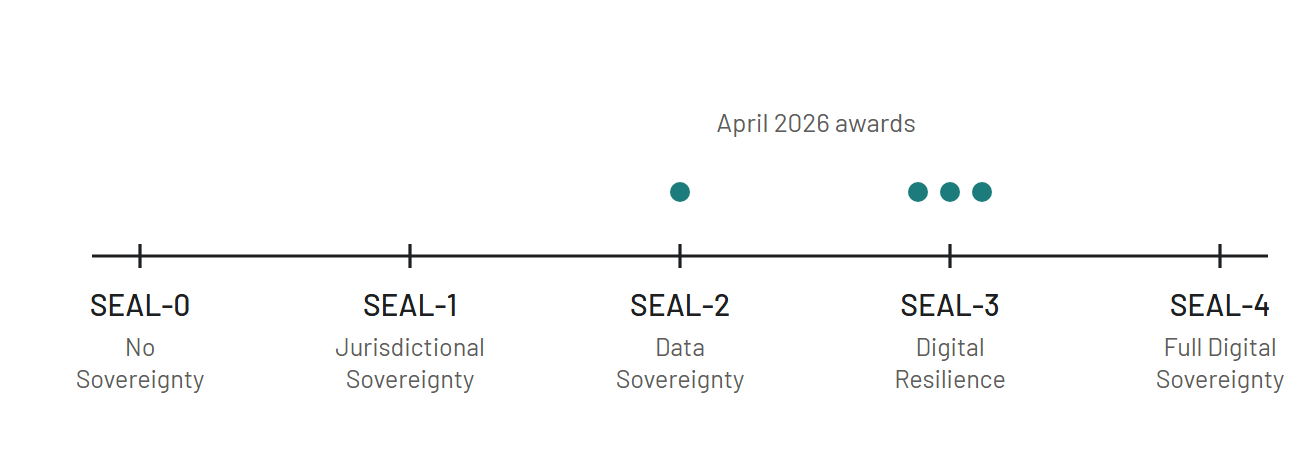
The five Sovereignty Effectiveness Assurance Levels on one scale, from SEAL-0 No Sovereignty to SEAL-4 Full Digital Sovereignty. Dots mark the April 2026 awards: three providers at SEAL-3, one at SEAL-2.
The framework’s five levels, and where the April 2026 awards landed. Source: European Commission.

In those six pages, exactly one sentence concerns which of the buyer’s own systems can go where. It says the results “may also be used”, by the buyer’s own technical services during the contracts that come out of the same tender, “to determine the nature of systems that can be deployed at a specific provider, different risk profiles requiring different assurance levels”. That is the whole of it, and it presupposes the risk profiles already exist.

Meanwhile the labelling goes on. Across Europe, organisations are sorting their applications into “sovereign” and “standard”, one row at a time, and filing the result. The file records what each application is, never what it stands on.

What the file misses shows up the first time a boundary closes.

Continue reading “Sovereignty Is Decided on the Edges”

Multi-Cloud and Omni Cloud Are Not the Same Thing

Title card: card-2790

The digital horizon is constantly evolving, and at its forefront is the transformative power of cloud computing. Terms like “multi-cloud” and “omni cloud” are not mere buzzwords but signify strategic shifts in how businesses approach their digital infrastructure. This article demystifies these strategies, placing them under the lens for a clearer understanding.

Tracing the Cloud Evolution

From the dawn of mainframe computers to the advent of internet-based cloud solutions, the narrative of cloud computing has been one of innovation and adaptation. Initially, the focus was singular – one business, one cloud provider. Today, the narrative champions competition, diversity of services and integration.


Defining Multi-Cloud

Multi-Cloud is the strategy of using multiple cloud providers, where each provider handles a separate, distinct workload or application. The motivation is often to avoid vendor lock-in, leverage specific features of each provider, or to ensure redundancy and risk distribution.

Continue reading “Multi-Cloud and Omni Cloud Are Not the Same Thing”

Developer Autonomy Is a Platform Decision

Title card: card-2766

Most companies want to be able to innovate and grow quickly. But the ability to do so depends on the organization’s ability to balance developer autonomy with platform manageability and security. It’s not an easy task, but one that requires careful planning ahead of time. Here are principles every company should follow on their cloud journey:

The cloud is how companies innovate, scale and grow.

The cloud is how companies innovate, scale and grow. As a result, it’s important to balance developer autonomy with manageability of the platform. By allowing developers the freedom to create and innovate, you can get more out of your investment in technology. However, without proper controls and security measures in place, there are risks associated with this approach as well.

The cloud allows for continuous innovation through agile development practices—the ability for teams to rapidly develop new features or products that allow them to move faster than ever before. As a result of this rapid innovation cycle, developers need access to tools that allow them to keep up with changes across multiple programming languages (like Python, Terraform, Cloud Providers Native Languages) while ensuring compliance with industry standards like ISO, GXP, PCI-DSS or NIST regulations

The shift to the cloud can be overwhelming and confusing, especially as many organizations find themselves with a multi-cloud environment, which can lead to it’s own set of challenges.

Continue reading “Developer Autonomy Is a Platform Decision”

The Gap Where the Provider’s Responsibility Ends

Title card: card-2699

Cybersecurity is a significant challenge in the cloud environment with the rapidly evolving threat landscape. Furthermore, with more businesses adopting cloud computing and its amalgamation with emerging technologies, the challenges have increased correspondingly. Hence, the focus should be on identifying these next-gen cybersecurity challenges and preparing to overcome them.

Cloud computing has improved IT efficiency, flexibility, and scalability. However, all these features have one common challenge, security. The problem with cloud computing cybersecurity is that organizations must correctly distinguish where the CSP’s (Cloud Service Provider) responsibility ends and theirs begins. This gap increases the organization’s potential attack surface and enables malicious actors to infiltrate information systems. This article discusses next-gen challenges and risks and looks at how organizations can prepare themselves to overcome them to keep critical information assets’ confidentiality, integrity, and availability intact.

(Image Source: Pixabay)
Continue reading “The Gap Where the Provider’s Responsibility Ends”

Smart Cities Need Their Own Security Model

Title card: card-2619

Smart cities have become a reality today, with governments, businesses, and residents, making use of advanced technology to increase productivity and efficiency at home and the workplace and make lives better. However, the challenges to ensuring safety, security, and data privacy have risen proportionately, leading to the requirement for a unique cybersecurity model for smart cities.

A city using advanced technology infrastructure and other cutting-edge solutions to improve its operational efficiency, provide better services, and improve the lives of its citizens qualifies as a smart city. The technology ecosystem often consists of ICT (Information and communication technology),  IoT (Internet of Things), AI/ML (Artificial Intelligence/Machine Learning), Blockchain, Cloud computing, etc. However, using the latest technologies has its challenges of cybersecurity risks, compromising the confidentiality, integrity, and availability of PII (Personally Identifiable Information) of its citizens. Below is a closer look into cybersecurity risks in smart cities, their challenges, the threats they are exposed to, and the potential solutions to overcome such hurdles.

Continue reading “Smart Cities Need Their Own Security Model”

OKRs in Strategic Management

Title card: card-2558

Organizational goals and objectives are often divided by a thin line of what they want to achieve and what they can actually accomplish given their resources. Apart from effective communication and micromanagement techniques, companies have to set goals to motivate their workforce and other stakeholders to work towards that common objective. Companies struggle to develop a measurable, consistent, and predictable business model, which impacts their decision-making in one way or another. This is where OKRs, an acronym that stands for Objectives and Key Results, come in handy to help managers enhance their teams’ performance and productivity.

We see this becoming more and more apparent post-covid 19 outbreak (20′, 21′) and the transition from workplace management to remote management and an increased necessity in employee trust, transparency and measuring KPIs that matter.

OKRs is increasingly becoming a powerful strategic management tool for businesses. Several reputable international companies have adopted it, including Google, Intel, BMW, Oracle, Twitter, Disney, Facebook, and Dropbox (Post 2019, par 51). Although OKRs are not the sole reason for these organizations’ success, they have been of significant value and helped to redefine organizational management. Thus these companies continue to implement OKRs up to today despite having thousands of workers. OKRs have several benefits as they help provide a clear direction, effective communication strategy, accountability, and strategic alignment and enable managers to track their objectives and outcomes. This paper will examine how Objectives and Key Results support strategic management, thereby improving an organization’s effectiveness and performance.

Continue reading “OKRs in Strategic Management”

Azure Governance Never Finishes

Title card: card-2528

In this blog post, we will discuss the management and operational principles which underpin enterprise governance in Azure which is a necessity for successful cloud adoption and one of the first rails to enable a culture that facilitates digital innovation.

The core components of Azure management are the challenges of Enterprise Cloud Adoption and the components which make up the full set of governance capabilities in Microsoft Azure.

The Azure governance principles are a continuum of tasks, projects and initiatives, therein you build natively in Cloud and also migrate workloads into Azure, securing and protecting those workloads so that they are robust and resilient. You then proceed to monitoring these workloads, so that you can pick up any problems and ensure that they are consuming resources in a manner which is both performant and cost-effective.

Next, you invest in automated configuration to ensure that any changes to your workloads are holistic but also auditable and immutable. Governance ensures that your workloads and the platform on which they run are compliant with your company’s policies and regulatory obligations. This, in turn, creates a more robust enterprise platform, ready to receive new workloads and in turn, a becomes a hub for innovation with the necessary guard rails in place.

Continue reading “Azure Governance Never Finishes”

In China, Someone Else Operates Your Cloud

Title card: card-2519

When Westerners think of hyperscale cloud providers, the usual suspects that come to mind are named Amazon Web Services, Microsoft Azure, Google Cloud Platform, Oracle, and IBM Cloud. Seldom do you hear another name, which tends to be odd since it is already the world’s third-biggest cloud service provider according to the numbers: Alibaba Cloud. And with yearly revenue growth between 60 and 140%, they sure are catching up fast.


Blog_AWS-vs-GCP-vs-Azure-vs-Alibaba


However, to operate a cloud within China there are some hoops you need to jump and you have to collaborate with the regional administration. Provisioning and relocation times, thus, are fundamentally increased, in no little part since tasks must be directed by the local partners. The truth of the matter is that, while it is conceivable, receiving a cloud foundation that does not have a physical presence in China places organizations that operate in China at a colossal detriment.

Continue reading “In China, Someone Else Operates Your Cloud”

Cybersecurity on the Blockchain

Title card: card-2437

Blockchain technology, or distributed ledger technology (DLT), as it is alternatively often called, is one of the hottest topics in the technology sector as of now. A blockchain is a specific type of distributed ledger that stores data in blocks that are linked together via a cryptographic signature function.

This, in short, works by always using the signature of the last block plus the data of the current block to sign the current block. Given enough computing power behind creating the hash signatures for new blocks, a process that is known as mining (PoW), the resulting public ledger is virtually unmodifiable for malicious actors, commending itself for applications that rely on mutual trust where trust cannot be easily applied.

Continue reading “Cybersecurity on the Blockchain”

Blockchain After the Cryptocurrency Hype

Title card: card-2445

Blockchain technology is gradually revolutionizing the way business is being transacted on in the digital realm. Blockchain technology exploits decentralisation and one-way cryptographic hashes to ensure the integrity of data and P2P transaction across the internet. Cryptocurrencies have been the main driver of Blockchain technologies and although the world may have slowed down in terms of its appetite for these currencies, the technology behind Bitcoin and EOS is finding relevance and applications in diverse areas. This because unlike other technologies that focus on solving specific problems or automating processes where security becomes an afterthought, Blockchain in many ways cooperates security by design in its architecture. It eliminates the need for third-party layering of security elements (TNO 2019). This article explores areas where Blockchain technology is finding novel applications. These include identity management, creative content copywriting, tokenization of products and data integrity management.

Continue reading “Blockchain After the Cryptocurrency Hype”

Security Questions to Settle Before a Migration

Title card: card-2444

Information security aspects when moving operations from on-premise

So if you are reading this I will make some basic assumptions that you know about Microsoft Azure, Amazon Web Services and perhaps even Alibaba Cloud, these are renowned hyperscale cloud vendors. Last few years cloud computing have been among the IT industries hottest topics. The term refers to on-demand access to computing resources provisioned by another provider. 2019 has been dubbed the year of migrations by several vendors and a pronounced advantage of cloud computing is that they tend to be highly available and easily scalable. For fast-growing business, cloud-computing has revolutionized the way they can work. Organizations typically lease cloud-based resources from outside the organization. Of course, it is also possible (but not as common) to host cloud-based services internally.

While cloud computing can be very cost-efficient and offer fast scaling, it’s challenged by the fact that resources will most likely be hosted outside of the business’ data centre and therefore, outside of the direct control of that business, increasing the complexity to manage risk and handle governance.

Continue reading “Security Questions to Settle Before a Migration”

Cryptography in a Post-Quantum World

So in my previous article on quantum computing, we talked about where we are today, and where we are headed in regards to breakthroughs in the technology as well as touching on some basics of “what is quantum computing“. In this article, I explore what quantum cryptography and cryptography is like in a post-quantum world.

So, a refresher: quantum computing is set to transform cryptography due to the revolutionary, non-deterministic way of operating.

How will they affect existing cryptography algorithms and which options do we know today for doing cryptography in a post-quantum world?

Continue reading “Cryptography in a Post-Quantum World”

What Quantum Computing Does and Does Not Threaten

For as long as it has been in development inside the science labs of the universities, corporations and government agencies, quantum computing has been considered the next frontier in cybersecurity. Quantum computers are machines that do not work with classical electrical on and off-states but instead rely on quantum states that can be in several states at once, a circumstance known as „superposition(1)“. While they are still in their very infancy, their capabilities have been mystified over and over and it’s probably fair to say that quantum computing is one of the most misunderstood technological advancements of our day and age.

12.jpg

Continue reading “What Quantum Computing Does and Does Not Threaten”

AI Arms Both Sides of Security

Within the ongoing arms race in the perimeter of information security, artificial intelligence and machine learning are two of the most promising innovations.

cc-ra-360x240v2._CB515844478_

While AI in common „personal assistants“, like those developed by Amazon, Alibaba and Google has recently reached levels at which it can convincingly make phone calls on behalf of their users, the capabilities of AI in the hands of defenders, as well as attackers, will likely evolve from buzzword to technology of significant importance over the next years.

On the defensive side, artificial intelligence powered intrusion detection will deliver the ability to pick up on anomalies within an organizations network or perimeters and raise alerts or even countermeasures much quicker than would be possible for any human security team. AI technologies supreme and literally superhumanly quick pattern recognition capabilities enable it to consistently collect intelligence regarding new threats, attempted attacks, acceptable user behaviour and constantly evolve its knowledge.   This does allow AI-powered intrusion detection mechanism to find the proverbial needle in the haystack (and react to it) much faster and more concise than classical signature-based intrusion detection systems or a human security analyst.

azure-security-center-and-fortinet-integrated-threat-management-solution-for-cloud-workloads-201
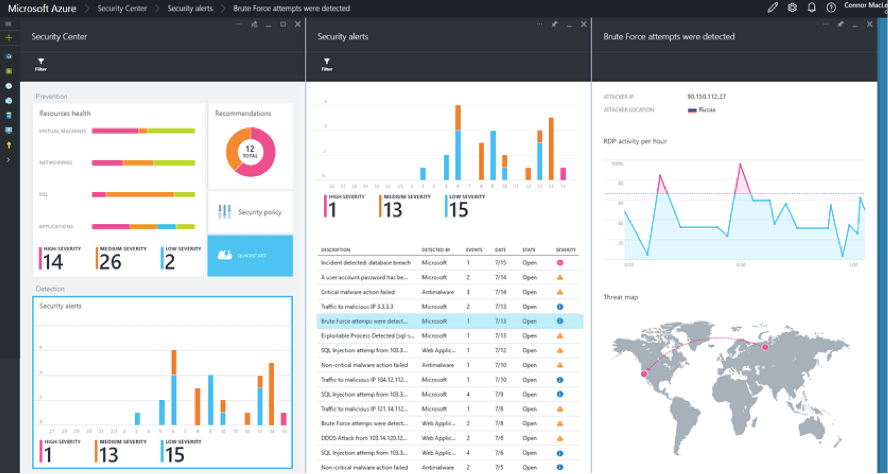
Azure Security Center is a cybersecurity solution that leverages artificial intelligence and machine learning integrating with the organization’s digital estate.

This does have a flip-side, of course: The same AI capabilities could be used to learn about specific defences and normal user behaviour pattern in an organization and mask the malicious behaviour so it will not be recognized by classical intrusion detection systems or human onlookers.

Continue reading “AI Arms Both Sides of Security”

Four Azure Tools for Securing What You Run

Title card: card-2415

In today’s interconnected cloud-first, mobile world, securing your online apps and services is vital. However, building secure solutions which deliver value in today’s complex and regulated environment can be a challenge. With information essentially becoming the currency of the digital age, the creation of multiple compliance regulations has forced organizations to implement technical security measures to protect their online systems and customers. Meeting these compliance requirements can be challenging, especially if you are leveraging the benefits of the cloud. Not only do you need to build and configure your apps and services securely, but you also need to ensure your chosen cloud provider meets any necessary compliance requirements.

Compliance in the Cloud Compliance Is a Shared Responsibility

On Azure, Microsoft is responsible for meeting the compliance requirements for its platform while you are responsible for any compliance measures which relate to your cloud service.

With more certifications than any other cloud service provider, Azure meets a broad set of international as well as industry-specific compliance standards. These include the GDPR, ISO 27001, HIPAA, SOC, among others. Microsoft also conducts regular comprehensive audits to ensure it maintains these standards and adheres to the security controls needed.

However, as stated, ensuring your services that are running on Azure meet compliance requirements is your responsibility. Thankfully Microsoft Azure provides a few tools which can help you secure your cloud services and meet the necessary compliance standards.

Continue reading “Four Azure Tools for Securing What You Run”

Configuring VMware Identity Manager for Salesforce – Part 1

Now we’ll look at configuring SAML integration between VMware Identity Manager and Salesforce for Workspace ONE.

Definition:  Security Assertion Markup Language (SAML). It is an open standard which enables SSO for many different services and platforms. Authenticating with SAML allows a user to log in once per session.

Here are the defining components of SAML:

  • Service provider (i.e. an application.)
  • Identity provider (who is authenticated, and what authentication methods are used.)
  • End user who is accessing over SAML.


idp.png

  1. User starts the SAML Application
  2. Service Provider (SP) sends a request to the Identity Provider (IdP) for authentication
  3. If the user is not authenticated, the IdP requests authentication from the user. (I.e. username and password)
  4. The IdP then sends response to the SP with a token for that user.

Continue reading “Configuring VMware Identity Manager for Salesforce – Part 1”

Installing VMware Enterprise Systems Connector

Things change fast, very fast. So VMware AirWatch 9.1 is out and so is the new installer which serves as the unified connector for Workspace ONE; AirWatch, and Identity Manager.

So if you were used to installing the ACC (AirWatch Cloud Connector) or the Linux appliance vIDM (VMware Identity Manager Connector), you should know that these two products have now been tied into one and have been branded VMware Enterprise Systems Connector.

Which I think is great, as editing a Linux appliance and bash, sudo, cat, vi. Yeah, it was fun.

I’ll walk you through the installation of the VMware Enterprise Systems Connector and enterprise integration.

Continue reading “Installing VMware Enterprise Systems Connector”

Coco Is a Framework, Not a Ledger

Title card: card-2359

Article-5-2.jpgCoco Framework, is NOT a blockchain ledger.

Coco is a blockchain ledger framework.

It leverages a combination of trusted execution environments, advanced cryptography and innovative blockchain-focused consensus mechanisms to enable new ways of utilizing the blockchain. Coco stands for Confidential Consortium.

If you want a deeper dive, I suggest you check out the Coco Framework whitepaper, here.

Additionally, Microsoft offers BaaS (Blockchain-as-a-service) and was chosen by Bankchain which is a platform for banks that want to implement blockchain technology; members include State Bank of India, ICICI Bank, DCB Bank, Kotak Mahindra Bank, Federal Bank, Deutsche Bank and UAE Exchange.

Continue reading “Coco Is a Framework, Not a Ledger”

AI Moved Fraud Detection Into Real Time

Over the last few years, cloud computing has been the buzz. Cloud computing services offer an infrastructure that is highly scalable and supports high-performance computing. With high adoption by businesses of all sizes. Development and deployment of applications within the cloud platform are easy and time to market is done in a fraction of the time.

Artificial intelligence is not a new technology. It has been here for a long time and has helped develop computers and software that perform tasks that are associated with intelligence. Machine learning and deep learning are subsets of artificial intelligence that involve the development of algorithms that learn from data inputs and give intelligent output based on that data and the learned patterns.

A lot of research has been done and still is being done on implementing artificial intelligence into cloud computing. Cloud service providers such as Amazon, Google and Microsoft have already integrated AI into their clouds to improve service delivery. AI brings about capabilities such as machine learning, recognition of patterns and robotics to the cloud. On the other hand, the cloud is able to provide a wide range and large volumes of data since these capabilities are largely dependent on data as input so as to produce the desired output. The cloud also allows the systems to open-access and open-source data which is very crucial in facilitating collaborative learning.

Continue reading “AI Moved Fraud Detection Into Real Time”

Creating a Load Balancer in the Microsoft Cloud: Azure

WHAT IS AZURE LOAD BALANCER?

Azure Load Balancer secures high availability and network performance to your applications/frontend/backend.

It is a Layer 4 load balancer (TCP/UDP) that distributes traffic among instances of services defined in the load-balanced set.

You can load-balance web applications, Virtual Machines, and so-on by routing traffic based on NAT rules that you configure on the load-balancer.

Continue reading “Creating a Load Balancer in the Microsoft Cloud: Azure”

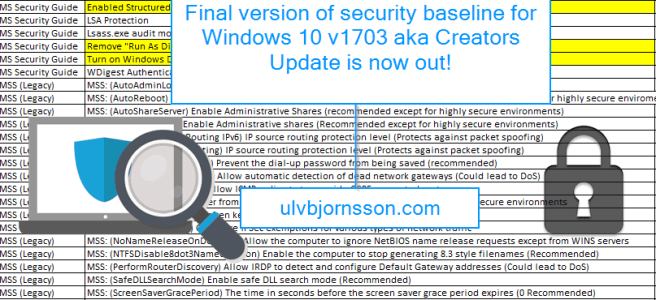
Security baseline for Windows 10 v1703 now out!

Microsoft just published the security baseline for Windows 10 “Creators Update” v1703!

Now you might ask, why should I use a security baseline? First off – it’s for OS hardening, and it saves you a lot of manual work by having ready made settings setup and gives you the importable GPOs, as well as a multitude of custom ADMX files with them visually laid out for you in a spreadsheet.

This allows you to tweak your settings to what best suits your environment.

It’s an incredibly helpful tool for image building, particularly for those of us in verticals that require constant vigilance.

Now if you are new to OS hardening and security baselines, you really should check out Microsoft’s Security Compliance Toolkit!

You can get the Security baseline for Windows 10 “Creators Update (v1703) from here.

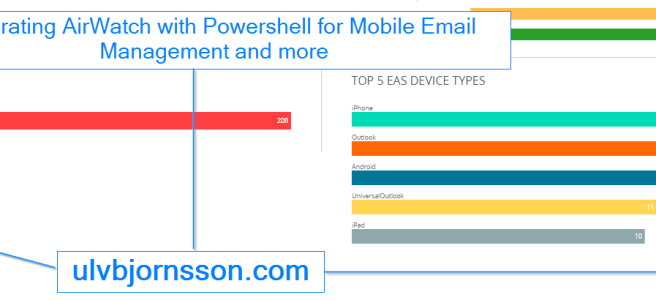
VMware AirWatch PowerShell Integration for Mobile Email Management and more

AirWatch, it’s here to stay.

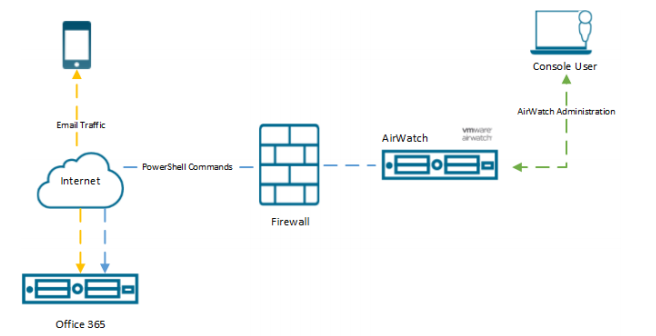
So let’s talk about AirWatch, Office 365 and Powershell.

Objective: To enable integration between Powershell and Office 365 to facilitate; AirWatch Mobile Email Management (MEM).


“Mobile Email Management (MEM) functionality in AirWatch delivers comprehensive security for your corporate email infrastructure by allowing only compliant users and devices to access email.”

chrome_2017-08-02_16-05-51.png

Now to getting this up and running

The steps we will be taking are

  • Integrate PowerShell with AirWatch
  • Setting up a PowerShell Admin User
  • Enable Powershell Integration in AirWatch
  • Configure Exchange to Block or Quarantine Devices
  • Email Management
  • Cmdlets Executed by AirWatch

Continue reading “VMware AirWatch PowerShell Integration for Mobile Email Management and more”

Microsoft new bug bounty program will pay up to $250,000

To some it may have passed under the radar, for others it might be of interest.

Microsoft has released a bug bounty program for hackers, white hats, bug hunters and security researchers alike to discover, find and report vulnerabilities to Microsoft to strengthen the Microsoft portfolio.

Microsoft having dominated the market for home users and business computers have long been a favored target for cyber criminals, hobby hackers and other nefarious operatives. Meaning that just a zero-day vulnerability or any breach can cause a crisis like the recent WannaCry ransomware attack.


1hkhhgo7ax_meme_bugs_1.jpg

Microsoft has previously had bug bounty programs, but mostly they have been limited in time, or for specific suites.

Continue reading “Microsoft new bug bounty program will pay up to $250,000”

Connect to Microsoft Azure with Powershell

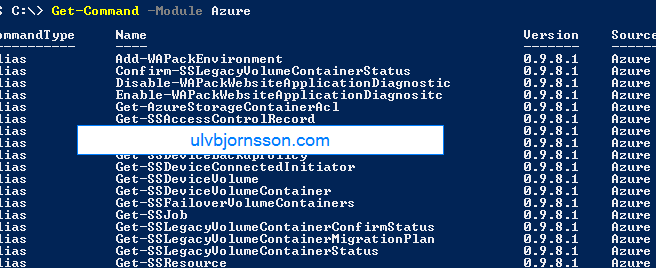
In this article I’ll walk you through the steps needed to connecting to your Microsoft Azure environment, as well as giving you a glimpse of how you can manage it by starting up a IaaS virtual machine.

There is endless potential, to what you can manage and automate of Azure resources with PowerShell, but from here to there, first step is connecting it!

autoallthings.png

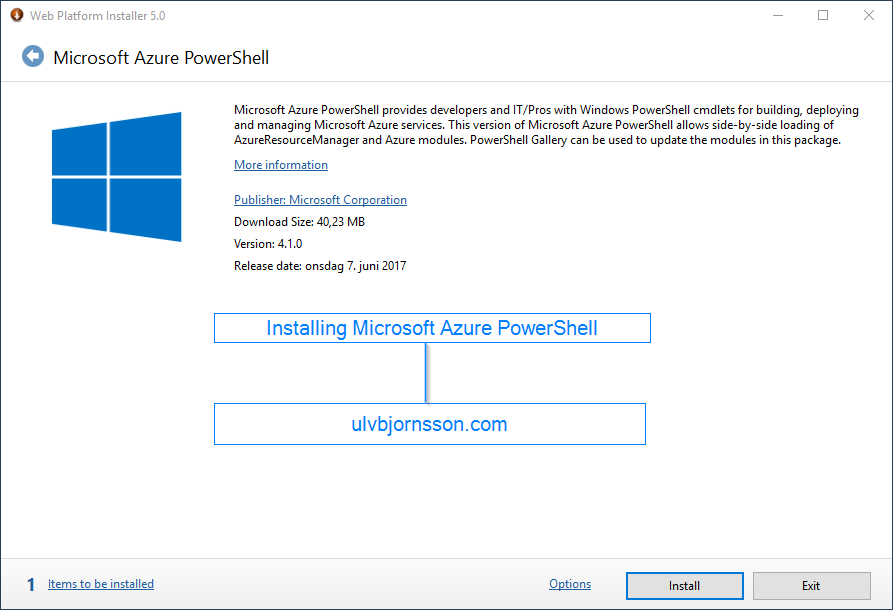
Installing Azure PowerShell Module

First off we are going to install the Azure PowerShell module

WebPlatformInstaller_2017-07-03_13-05-42
The installer takes a few minutes, once installed we will connect to your Azure subscription.

Continue reading “Connect to Microsoft Azure with Powershell”

Microsoft Azure: Azure PowerShell – ForbiddenError: The server failed to authenticate the request.

Hey, so if you are getting this error I’ll walk you through the easiest ways to remedy it.

powershell_2017-07-03_13-53-48.png

PS C:\> Get-AzureVM
Get-AzureVM : ForbiddenError: The server failed to authenticate the request. Verify that the certificate is valid and i
s associated with this subscription.
At line:1 char:1
+ Get-AzureVM
+ ~~~~~~~~~~~
+ CategoryInfo : CloseError: (:) [Get-AzureVM], ComputeCloudException
+ FullyQualifiedErrorId : Microsoft.WindowsAzure.Commands.ServiceManagement.IaaS.GetAzureVMCommand

or

Set-AzureSubscription : ForbiddenError: The server failed to authenticate the request. Verify that the certificate is valid and is associated with this subscription.

The solution often is easier then you’d think, just like how browsers have their cache so does your Microsoft Azure PowerShell so you’ll want to input this:

Clear-AzureProfile

powershell_2017-07-03_13-58-31.png

This will clear your current Azure profile.

You should also consider deleting the content of this folder:

C:\Users\%USERNAME%\AppData\Roaming\Windows Azure Powershell

After which you can run

Add-AzureAccount / Login-AzureRMAccount

and then you can execute any Azure PowerShell commands that you’d like to run. For a more detailed walkthrough check my article on connecting and managing Microsoft Azure via PowerShell.


PS: If you are still getting errors, you should check whether the mode you are running in is incorrect you can input 

Switch-AzureMode AzureResourceManager

Important to note that “Switch-AzureMode” is deprecated and will be removed in a future release. However doing so seemed to import the certificate and removed the “ServiceManagement” modules that were loaded with this install and installed the correct certificate.

So now to see if it’s working we can run Get-AzureVM or Get-AzureRMvm

which outputs:

powershell_2017-07-03_15-20-32.png


chrome_2017-07-03_15-22-47

As always, you can follow me on Twitter at @UlvBjornsson or follow me on here, if you have tips for articles you’d like to read or topics you want to hear more about, hit me up.

Ulv

Watch out bad guys, here comes Windows Defender ATP

Busy days, we had WannaCry remind us about the importance of patch compliance and mitigation (add political pun about encryption and weapons) and we saw IT and business rally to mitigate, patch and get their heads over water.

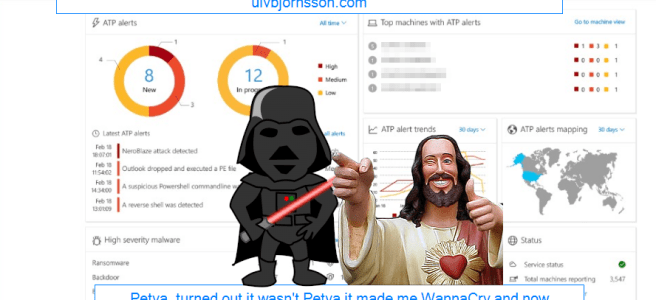
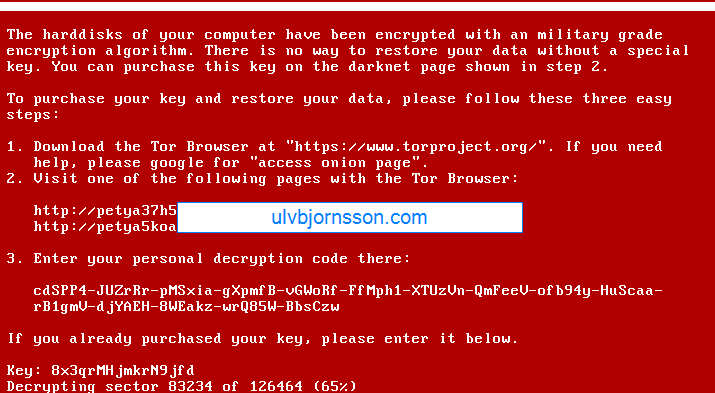
NotPetya spread over the same attack vector and utilized PsExec with the SMBv1 vulnerability but had a much more complicated payload, which turned out to not be ransomware, but a wiper prompting for a ransom, allowing no way to decrypt essentially rendering the data lost.

chrome_2017-06-30_15-40-58.png

So with that in mind I decided to write a post about the upcoming Windows 10 Fall Creators Update, touching on Windows Defender ATP and security in general, and my thoughts surrounding it..

chrome_2017-06-30_15-44-39.png

First off, it integrates Windows Defender Advanced Threat Protection (ATP) into Windows 10 essentially unifying the Windows threat protection stack.

To sum it up, it’s built in and not added on. 

Security is complicated, it involves layer upon layer, there is exterior security, interior security, network, information, os hardening, user training and so on.

One of the best things with ATP?

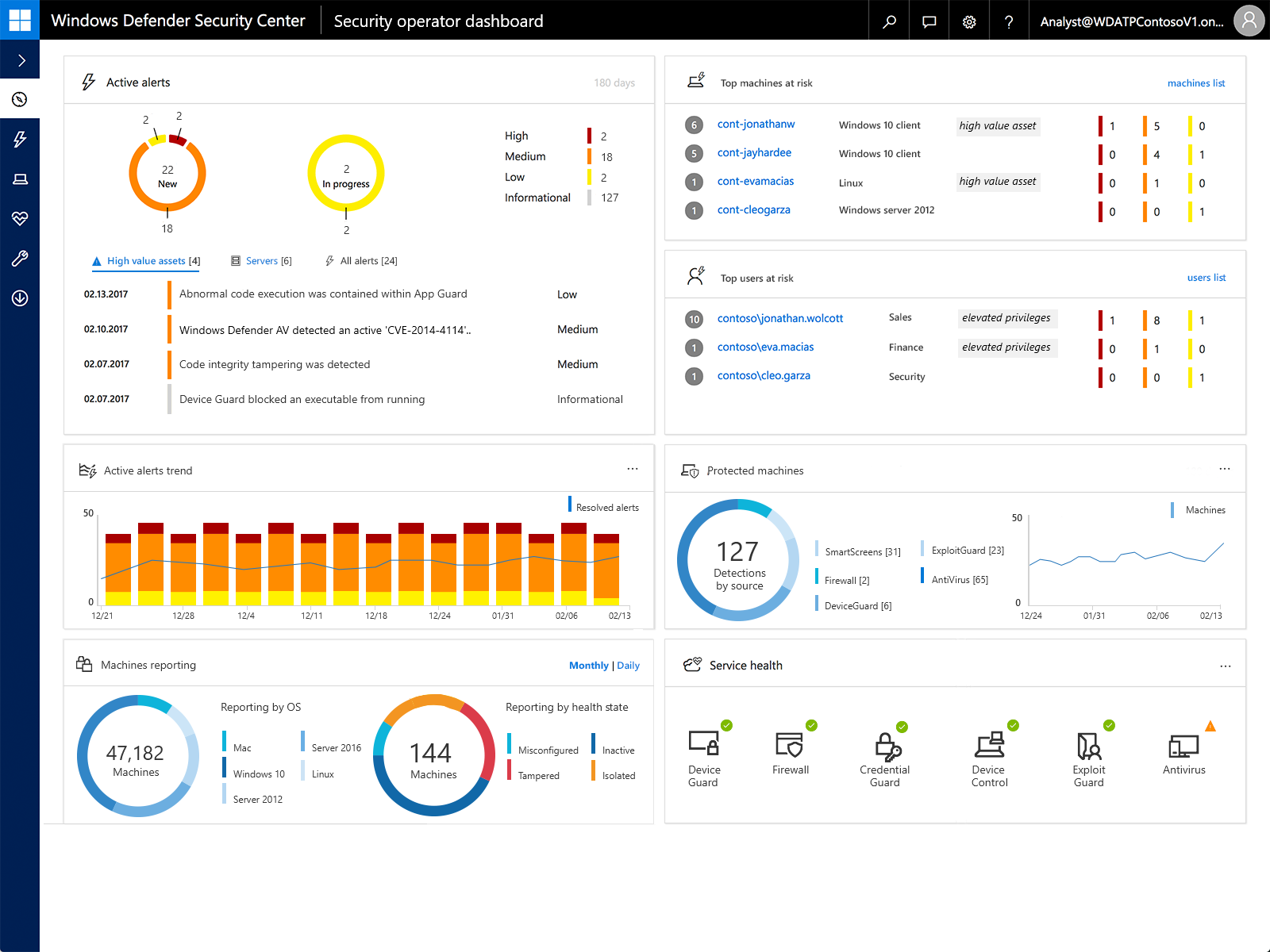
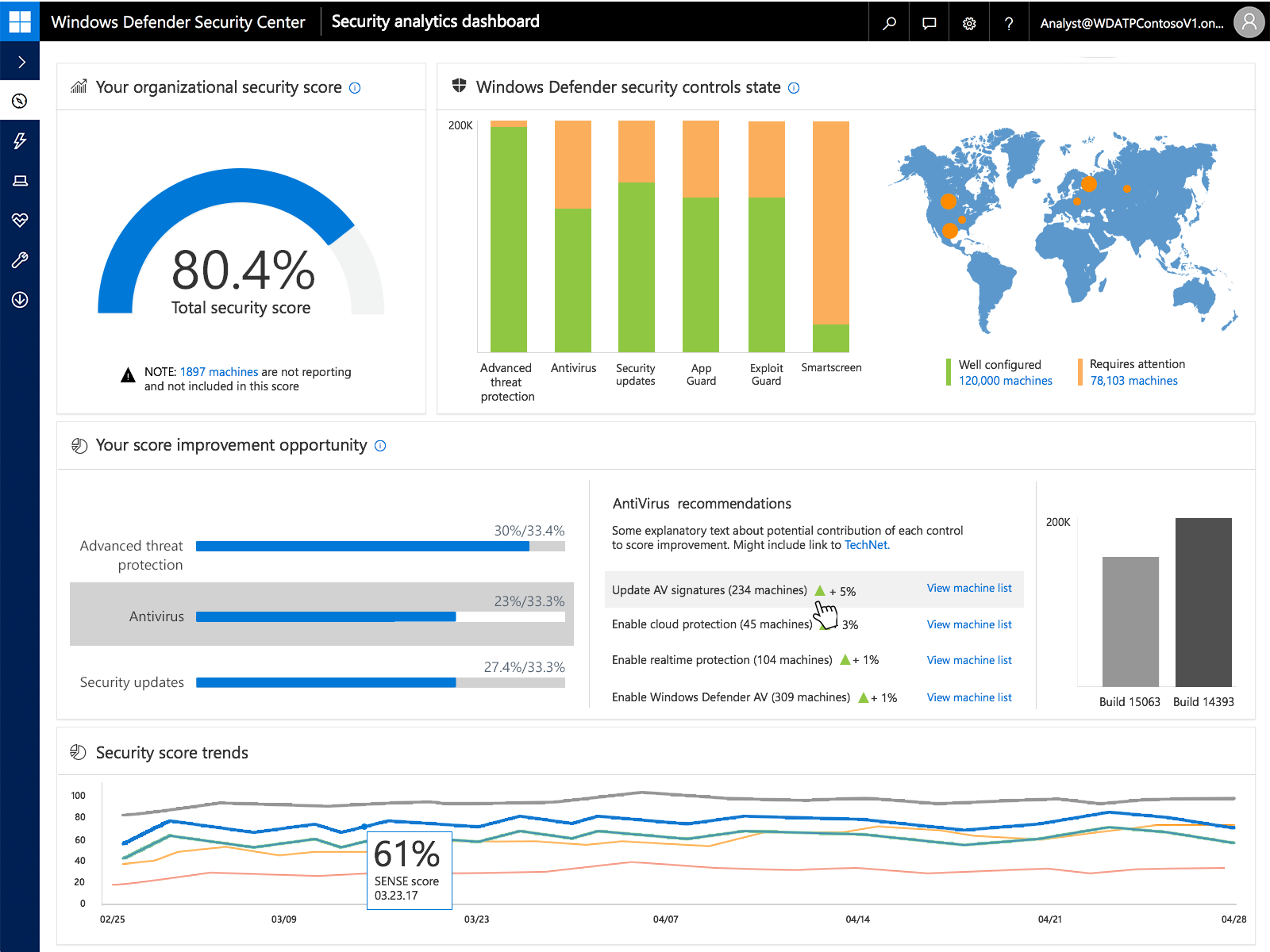
It integrates with cloud intelligence and the rest of your security, giving you a single pane of glass for administration.

windows-defender-atp-new-dashboard
Windows Defender ATP dashboard view

Now what is the ATP? It covers a range of features such as:

Windows Defender Exploit Guard

Windows Defender Explot Guard (WDEG) uses information from the Microsoft Intelligent Security Graph (ISG) and provides a heavy set of intrusion rules and policies to assist and prrevent advanced threats, as well as zero day exploits.

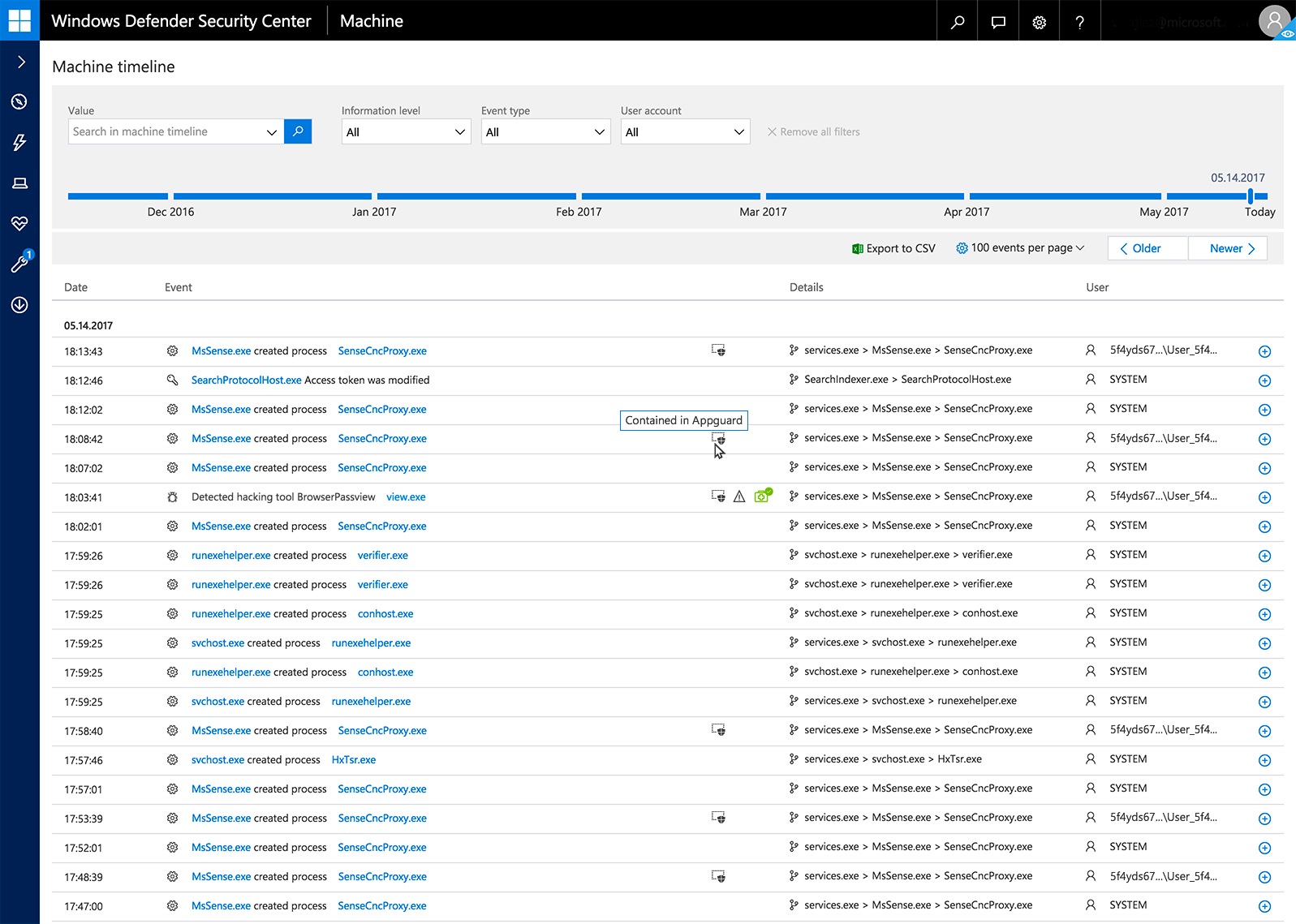
windows-defender-atp-exploit-guard
Machine timeline from Exploit Guard


Windows Defender Application Guard

A real winner here I believe, we’ll see how it turns out when it goes live for everyone, but I like the idea of Windows Defender Application Guard (WDAG) because even if the OS stack, network stack is secure, does not necessarily mean your third-party applications for example your browser is. Example and point: when Tim in accounting accidentally downloads malicious malware or Rambo in security triggers a zero-day worm whilst researching in the wrong container, WDAG will isolate and contain the threat. Keeping your device, apps and data secure. At least in theory.

Windows Defender Device Guard

Also integrated into ATP, Device Guard allows whitelisting of applications on a per-device basis and if anything it gives the Security Operations Center better insight, and automated application control as well as implementation of DDG into ATP gives organizations an easy implementation.
so-what.jpg
Well improved detection, response capabilities and a growing detection dictionary that includes more indicators of attacks (IoA) with a large suite being gathered into one product in the Windows threat protection stack will allow you to remedy, as well as spot weaknesses far faster then before, and reduces the overhead required and the custom implementations required to make all the systems “talk“.
 

Updated-Figure-3.jpg

So what is my take from this? I thoroughly believe that the creator of a product (Microsoft) is most likely the best to create a security solution best suited for their product (Windows and surrounding services).

windows-defender-atp-security-analytics.png

To sum it up ATP integrated with Windows 10, and Cloud Intelligence (Office 365, Microsoft Azure) will be a huge step in the right direction, and be a valuable asset to any Service Operations Center or IT operation team.

download (1).png

As always if you have any suggestions about topics, articles, how-to’s and what not hit me up here or on twitter at @UlvBjornsson

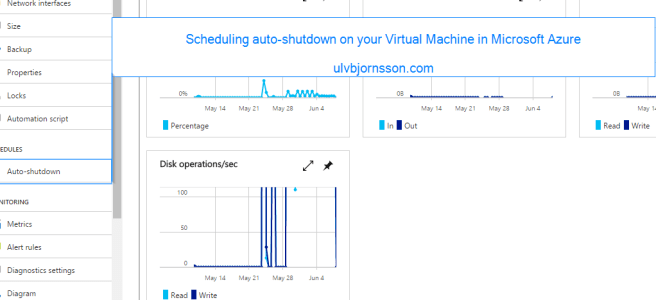
Microsoft Azure: Configuring auto-shutdown

So, in Azure you pay for what you use. If it’s on (or if it is allocated), you are paying for it, until it is deallocated.

So what can we do to save costs? We can configure automatic shutdown.

2017-06-08_13-58-35.png

So if we enter “Auto-shutdown” on the left panel in the VM:

chrome_2017-06-08_14-02-47.png

So let’s enable it, and set our preferred time for shutdown. Ensure that you have configured the timezone correctly so that it shutsdown when you expect it to.


chrome_2017-06-08_14-05-14.png

There you go, you’ve configured automatic shutdown on a schedule.

Next up, we’ll be looking at runbooks and the possbility of turning your virtual machines off, but also on again on a fixed schedule.

Stay tuned for more, and always you can reach me here or over on twitter at @UlvBjornsson.

If you are curious about the Azure exam 70-533, you can check out my write up on it over here.

Until next time!

Ulv

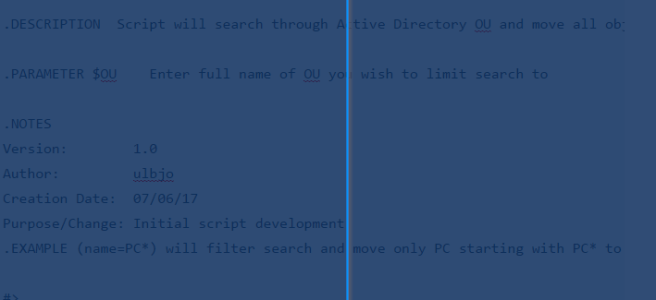
Powershell: Move objects from OU to target OU

Simple way to move computers from one OU to a target OU using –LDAPFilter which allows you to modify it. Current form is objectClass meaning it’ll move anything that is designated an objectclass from OU to target OU, you can change this to be (name=PC*) with * being a wildcard moving any object starting with PC from OU to target OU.

<#
.SYNOPSIS  

Sets Moves AD object based on -LDAPFilter from OU to target OU.

.DESCRIPTION  Script will search through Active Directory OU and move all objects matching -LDAPfilter to target OU.

.PARAMETER $OU    Enter full name of OU you wish to limit search to

.NOTES  
Version:        1.0  
Author:         ulbjo  
Creation Date:  07/06/17  
Purpose/Change: Initial script development  
.EXAMPLE (name=PC*) will filter search and move only PC starting with PC* to target OU.

#>
$computerstomove = Get-ADComputer -LDAPFilter "(objectClass=*)" -SearchBase "CN=Computers,DC=Customer,DC=ulvbjornsson,DC=com"foreach ($computertomove in $computerstomove) { Move-ADObject $computertomove -TargetPath "OU=Computers,OU=Production,DC=Customer,DC=ulvbjornsson,DC=com"
}

#(name=PC*)


As always hit me up, I got a lot of articles in the pipeline so stay tuned.

You can find me here, or interact with me over twitter @UlvBjornsson

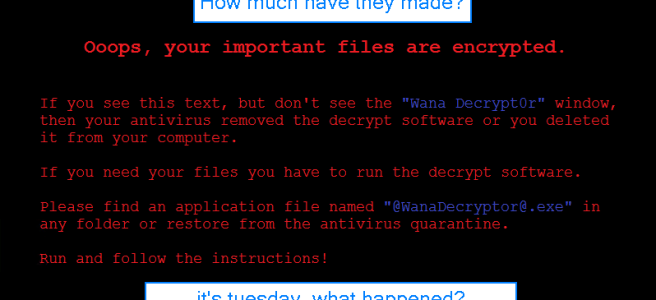
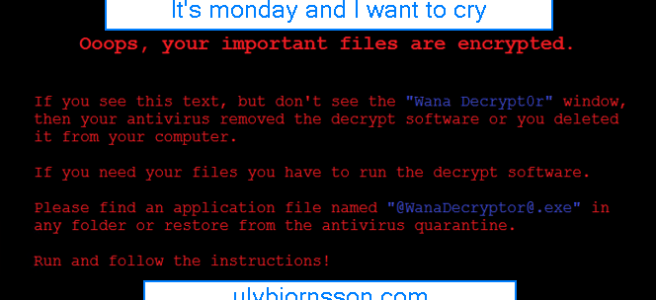
WannaCrypt – What is it?

What is WannaCrypt?

  • A large Ransomware campaign that spread across the world.
  • The attack used a vulnerability that was patched in March 2017 Security Update (MS17-010, SMBv1)
  • How can I mitigate WannaCrypt?

Timeline

August 2016
The Shadow Brokers attempt to auction NSA tools

September 2016
Microsoft encourages users to stop using SMB1

March 2017
Microsoft releases Security Update to address the MS17-010 for SMB1 vulnerability

April 2017
The Shadow Brokers release the toolbox

  • Includes SMB (Eternal Blue) and the Trojan Code (Double Pulsar)
  • Microsoft releases an advisory that no new vulnerabilities are found in Shadow Brokers release

May 2017
WannaCrypt is released by unknown attacker
Which utilizes [ETERNALBLUE] with [DOUBLE PULSAR] and a ransomware payload that demands 300-600 USD in Bitcoins from its infected hosts.

What does WannaCrypt do?

Infects

It attacks through [ETERNALBLUE] if MS17-010 is not installed.
Installs the Trojan if the attack is successful [DOUBLEPULSAR]

Encrypts

Encrypts 179 file types
Shows a message that demands for payment of 300$-600$ in bitcoins to a listed wallet.

WannaCrypt.jpg

Spreads

It scans the local LAN and wider internet for port 445
Attempts to infect over SMBv1 [ETERNALBLUE] if port is open.

Payments

We find references to three different wallets these are:

115p7UMMngoj1pMvkpHijcRdfJNXj6LrLn 73 transactions, total of 17460 USD
13AM4VW2dhxYgXeQepoHkHSQuy6NgaEb94 98 transactions, total of 26570 USD
12t9YDPgwueZ9NyMgw519p7AA8isjr6SMw 82 transactions, total of 23450 USD

Which gives the attackers wallet a total of 67480 USD (14:00 GMT 16.05.17)

Curious of how to mitigate it, or want to read how to disable the SMBv1 vulnerability or patch it? Check out my previous article on mitigation.

As always, if you have suggestions on topics you want to read more about, or feedback. Leave a comment or tweet me at UlvBjornsson

WannaCrypt – What can I do to mitigate?

Let’s try to reduce the attack vectors, I’ll walk you through the practical remedies and reduction of attack vectors you can do; now.

Turn off SMB 1

Why? Because WannaCry utilizes the exploit, and unless you are on XP or 2003, you have no use for SMB1, and will be using SMB2/SMB3.
To disable SMBv1 on the SMB server, run the following cmdlet:

Windows 8 and Windows Server 2012

Set-SmbServerConfiguration -EnableSMB1Protocol $false

Windows 7, Windows Server 2008 R2 and Windows Vista

Set-ItemProperty -Path “HKLM:\SYSTEM\CurrentControlSet\Services\LanmanServer\Parameters” SMB1 -Type DWORD -Value 0 -Force

4014204_en_1.png
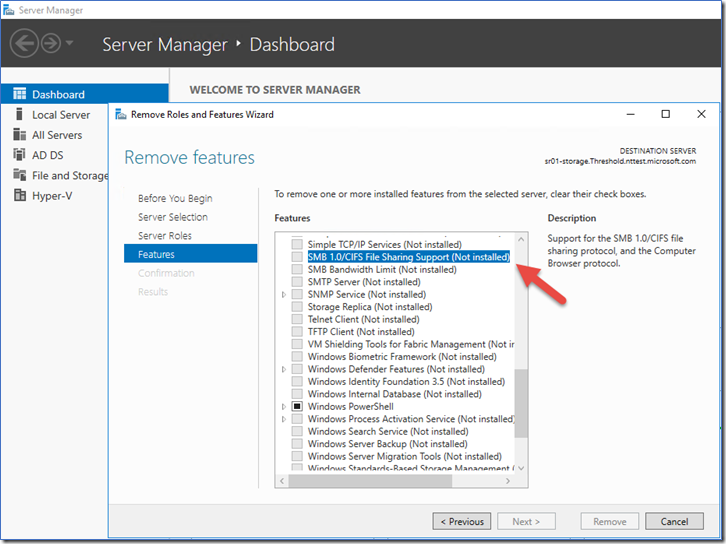
You can also remove it with “Server Manager” or use this snippet:

Remove-WindowsFeature FS-SMB1

If you want to check whether or not SMB 1.0 is active on your server you can run:

Get-SmbServerConfiguration

 get-smbserverconfiguration-enablesmb1protocol.png

As you can see it states that EnableSMB1Protocol is currently True we want to set this to False.

We can accomplish this by running the following snippet:

Set-SmbServerConfiguration -EnableSMB1Protocol $false -Force’ cmdlet, as shown below.

set-smbserverconfiguration-enablesmb1protocol-false.png
(Force is added to prevent it from pausing for confirmation, and run through.)

Let’s run this again to see if the configuration changed:

Get-SmbServerConfiguration

It is now set to false.

get-smbserverconfiguration-enablesmb1protocol-false.png

Patch your clients and servers.

WannaCrypt takes advantage of the MS17-010 vulnerability also known as the SMBv1 vulnerability, thankfully it has been patched with MS17-010. Depending on your patch regime, you should expedite and ensure that this patch goes through.

If your systems have been affected; DOUBLEPULSAR will have also been installed, so this will need to also be removed. A script is available (by COUNTERCEPT) that can remotely detect and remove the DOUBLEPULSAR backdoor.

Creating a Windows Master Control Panel shortcut .{ED7BA470-8E54-465E-825C-99712043E01C}

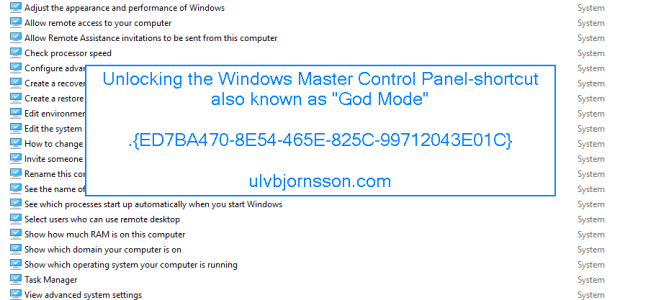
The Windows Master Control Panel, also known as Windows God Mode, or the All Tasks folder is a shortcut to access a variety of control settings found in any operating system later then Windows Vista.

It is one of those stories that hits the blogosphere and spins; however the background for the registry key “ED7BA470-8E54-465E-825C-99712043E01C”  was actually just an “All Tasks“-page created by Windows developers to make it easier to find what was needed.

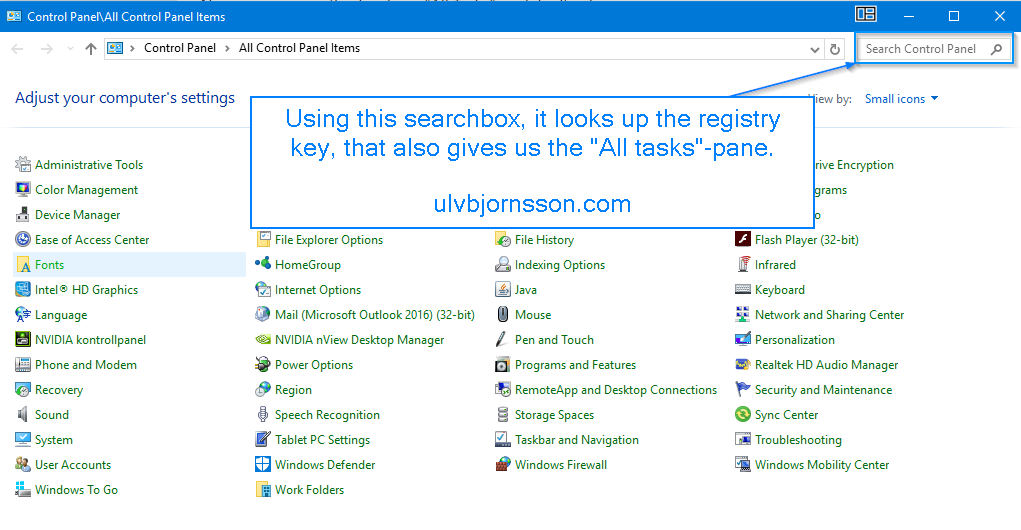
So if you use the search box in the “Control Panel“-window, see illustration below. It will leverage the key “ED7BA470-8E54-465E-825C-99712043E01C“.

2017-05-12_16-09-47.png

The key that it looks up you can find it under:
HKEY_CLASSES_ROOT\CLSID\{ED7BA470-8E54-465E-825C-99712043E01C}

2017-05-12_16-15-03.png

So now let’s create and give you a shortcut to the blogosphere’s godmode, or the Windows developers “All Task”-folder.

Continue reading “Creating a Windows Master Control Panel shortcut .{ED7BA470-8E54-465E-825C-99712043E01C}”

Allow Domain User To Update Department Field in Active Directory

In this article we’ll go through the steps to allow a domain user that is a member of a security group, to update the Department field in Active Directory

So open up Active Directory Users and Computers and create a Security Group that we will delegate control to, for this example we have created a group called “RL_Update_AD_Users_Department_Field”

pep

Now we have to also choose the container that this group can edit Users in to for this example we have a “Users”-container in our “domain“.

RoyalTS_2017-05-08_13-58-06

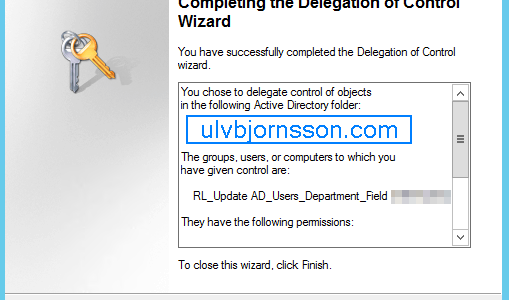
This opens up the Delegation of Control Wizard. Hit Next.

2017-05-08_14-11-21

Continue reading “Allow Domain User To Update Department Field in Active Directory”

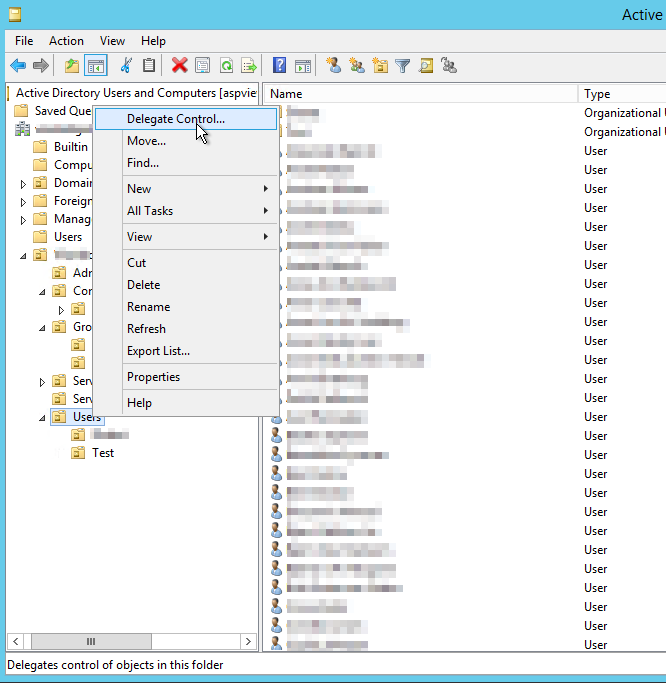
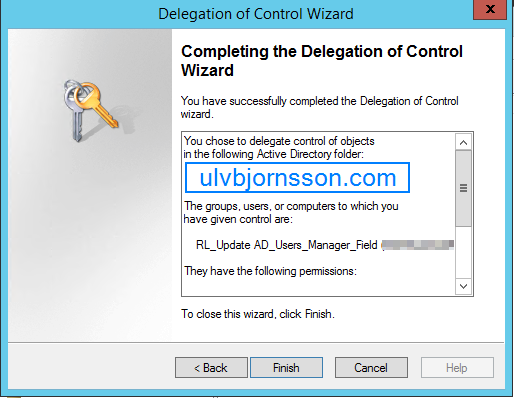
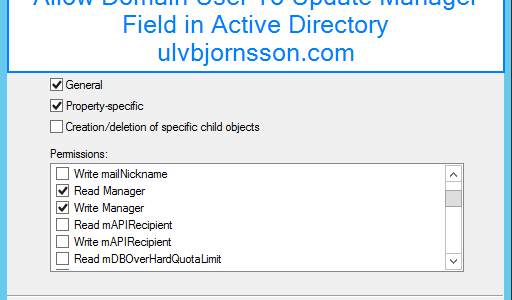
Allow Domain User To Update Manager Field in Active Directory

In this article we’ll go through the steps to allow a domain user that is a member of a security group, to update the manager field in Active Directory.

So open up Active Directory Users and Computers and create a Security Group that we will delegate control to, for this example we have created a group called “RL_Update_AD_Users_Manager_Field”


Now we have to also choose the container that this group can edit Users in to for this example we have a “Users”-container in our “domain“.

RoyalTS_2017-05-08_13-58-06.png

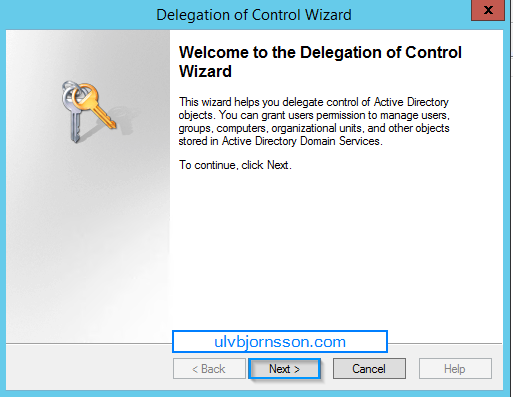
This opens up the Delegation of Control Wizard. Hit Next.

2017-05-08_12-30-50

Continue reading “Allow Domain User To Update Manager Field in Active Directory”

Allow Domain User To Add Computer to Domain

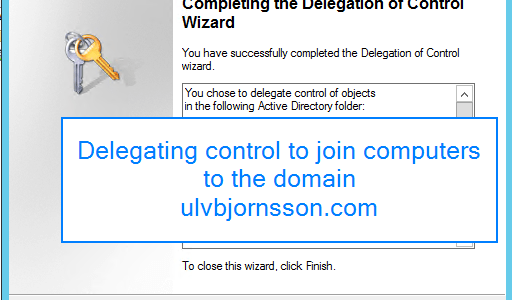
In this guide we’ll go through the steps to allow a domain user, to add a computer to the domain. This can be nice in scenarios where some of the preparation for a PC is done by office staff, or if there are branch offices that need to re-join after resetting a PC and so-on.

An authenticated user, has by default the right to join up to 10 computers to the domain. After exceeding this limit the user will recieve an error message.

To get around this we can delegate the right to Create Computer Objects in Active Directory. This ensures that there is no restriction on number of computer objects that the user with this delegation right can add to the domain.

The best way of achieving this is by delegating control to a “Security Group” that we create in “Active Directory”

Delegating rights to User/Group with Active Directory Users and Computers

Continue reading “Allow Domain User To Add Computer to Domain”

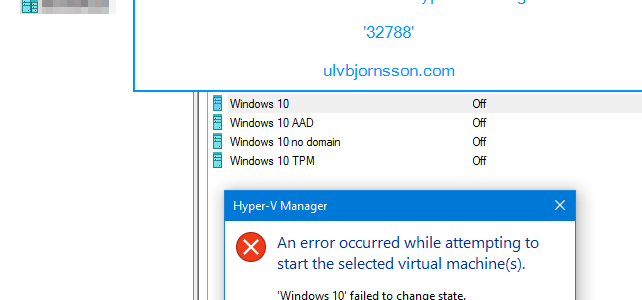
Hyper-V Manager: failed to change state. The operation failed with error code ‘32788’

Now you are likely here, because you are currently getting this error message: 32788.

2017-05-04_13-29-13.png

Most likely you’ve recently played around with your “Network Adapters

2017-05-04_13-23-02.png

or you’ve been in the “Virtual Switch Manager” and perhaps deleted a “Virtual Switch.

So to resolve it, quick and easy. You can do the following:

Continue reading “Hyper-V Manager: failed to change state. The operation failed with error code ‘32788’”

Installing VMware Identity Manager Connector

Hi again, and now we’ll go through how you install a VMware Identity Manager Connector.

First off with the prerequisites and some data you need to have to proceed through this guide:

You will need:

  • VMware Identity Manager-tenant
  • OVA-file (the VMware Identity Manager Connector software)
  • Set up a DNS record
  • Service Accounts: for binding to LDAP and domain joining the Connector
  • Connector activation code (which we gather from our VMware Identity Manager-tenant)

Continue reading “Installing VMware Identity Manager Connector”

Setting up AirWatch for Integration with Identity Manager: Part 2

Configure AirWatch settings in VMware Identity Manager to integrate AirWatch with VMware Identity Manager and enable the AirWatch feature integration options. The AirWatch API key and the certificate are added for VMware Identity Manager authorization with AirWatch.

Now if you are just jumping into this series, you need to know that you require to have this in place to complete the steps outlined here. If you haven’t you can check out Part 1.

  • AirWatch server URL that the admin uses to log in to the AirWatch admin console.
  • AirWatch admin API key that is used to make API requests from VMware Identity Manager to the AirWatch server to setup integration.
  • AirWatch certificate file used to make API calls and the certificate password. The certificate file must be in the .p12 file format.
  • AirWatch enrolled user API key.
  • AirWatch group ID for your tenant, which is the tenant identifier in AirWatch.


Continue reading “Setting up AirWatch for Integration with Identity Manager: Part 2”

Setting up AirWatch for Intergation with Identity Manager: Part 1

First off ensure you have this in place:

  • The organization group in AirWatch that you are configuring VMware Identity Manager is organization type: Customer.
  • REST API admin key for communication with VMware Identtiy Manager service and a REST enrolled user API key for AirWatch Cloud Connector password authentication are made at the same organization group where VMware Identity Manager is configured.
  • API Admin account settings and the admin auth certificate from AirWatch added to the AirWatch settings in the VMware Identity Manager admin console.
  • Active Directory user accounts set up at the asme organization group where  VMware Identity Manager is configured.
  • If end users are placed into a child organization group from where VMware Identity Manager is configured after registration and enrollment, User Group mapping in the AirWatch enrollment configuration must be used to filter users and their respective devices to the appropriate organization group.

You can find these in your AirWatch Admin console:

  • REST admin API key for communication: System -> Advanced -> API -> REST API
  • API Admin account for VMware Identity Manager and the admin auth certificate that is exported form AirWatch and added to the AirWatch settings in VMware Identity Manager.
  • REST enrolled user API key used for AirWatch Cloud Connector password authentication.


Continue reading “Setting up AirWatch for Intergation with Identity Manager: Part 1”

Integrating AirWatch with Active Directory

We are going to connect your AirWatch environment with your Active Directory. We will be using the Directory Services page to configure the settings that let you integrate your AirWatch server with your organization’s domain controller (the server hosting your directory services system).

The scenario outlined in this tutorial assumes that you already have the following items:

  • Active Directory
  • AirWatch

Continue reading “Integrating AirWatch with Active Directory”

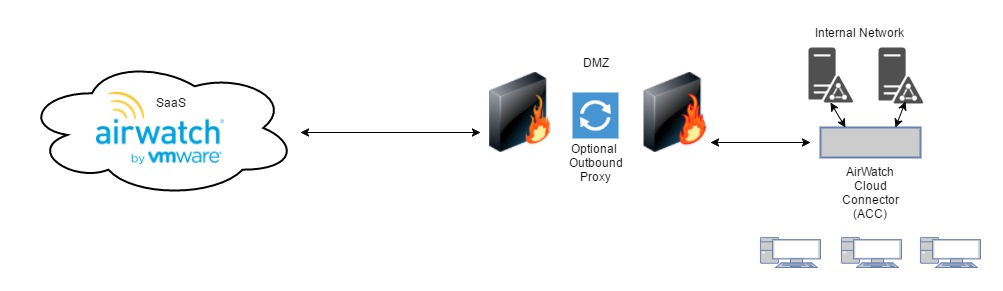
Installing and configuring the AirWatch Cloud Connector


First we will install the AirWatch Cloud Connector (ACC) by enabling it in the AirWatch Admin Console and then we download and run the installer file onto the server that will host the service.

Installing the AirWatch Cloud Connector (ACC) includes the following tasks:

  • Enable the ACC in the AirWatch Admin Console
  • Generate the certificate that will be used for communication between the ACC and the AirWatch environment.
  • Configure the ACC with the services we will be using.
  • Download the ACC installer and install it.
  • Verify that the installation was successful, and that communications pass between the AirWatch SaaS to the ACC, and the ACC to the AirWatch SaaS.

AirWatch Cloud (1).jpg

Continue reading “Installing and configuring the AirWatch Cloud Connector”