Over the last few years, cloud computing has been the buzz. Cloud computing services offer an infrastructure that is highly scalable and supports high-performance computing. With high adoption by businesses of all sizes. Development and deployment of applications within the cloud platform are easy and time to market is done in a fraction of the time.
Artificial intelligence is not a new technology. It has been here for a long time and has helped develop computers and software that perform tasks that are associated with intelligence. Machine learning and deep learning are subsets of artificial intelligence that involve the development of algorithms that learn from data inputs and give intelligent output based on that data and the learned patterns.
A lot of research has been done and still is being done on implementing artificial intelligence into cloud computing. Cloud service providers such as Amazon, Google and Microsoft have already integrated AI into their clouds to improve service delivery. AI brings about capabilities such as machine learning, recognition of patterns and robotics to the cloud. On the other hand, the cloud is able to provide a wide range and large volumes of data since these capabilities are largely dependent on data as input so as to produce the desired output. The cloud also allows the systems to open-access and open-source data which is very crucial in facilitating collaborative learning.
Busy days! Reading, exams, a lot of exciting features coming out into the market from a myriad of different vendors and gigantic leaps being made every day.
What does that mean? Just that I now am certified to attest that I have a baseline knowledge when it comes to how to go about penetrating a network or a computer system but with the purpose of finding and fixing security vulnerabilities within an ethical framework.
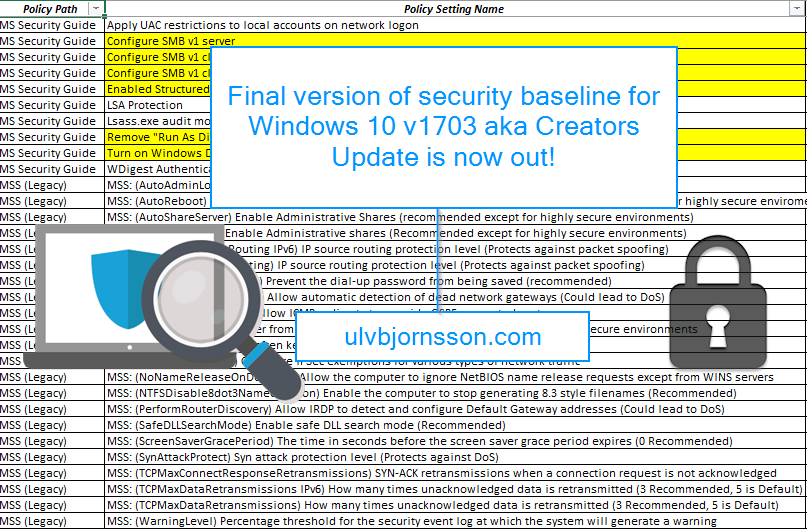
Now you might ask, why should I use a security baseline? First off – it’s for OS hardening, and it saves you a lot of manual work by having ready made settings setup and gives you the importable GPOs, as well as a multitude of custom ADMX files with them visually laid out for you in a spreadsheet.
This allows you to tweak your settings to what best suits your environment.
It’s an incredibly helpful tool for image building, particularly for those of us in verticals that require constant vigilance.
Now if you are new to OS hardening and security baselines, you really should check out Microsoft’s Security Compliance Toolkit!
You can get the Security baseline for Windows 10 “Creators Update (v1703) from here.
To some it may have passed under the radar, for others it might be of interest.
Microsoft has released a bug bounty program for hackers, white hats, bug hunters and security researchers alike to discover, find and report vulnerabilities to Microsoft to strengthen the Microsoft portfolio.
Microsoft having dominated the market for home users and business computers have long been a favored target for cyber criminals, hobby hackers and other nefarious operatives. Meaning that just a zero-day vulnerability or any breach can cause a crisis like the recent WannaCry ransomware attack.
Microsoft has previously had bug bounty programs, but mostly they have been limited in time, or for specific suites.
Busy days, we had WannaCry remind us about the importance of patch compliance and mitigation (add political pun about encryption and weapons) and we saw IT and business rally to mitigate, patch and get their heads over water.
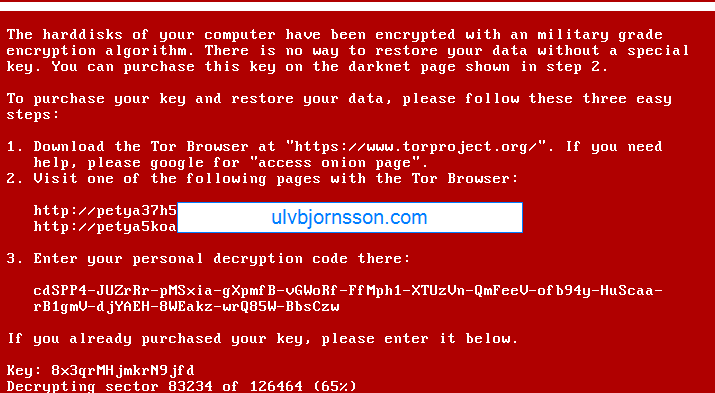
NotPetya spread over the same attack vector and utilized PsExec with the SMBv1 vulnerability but had a much more complicated payload, which turned out to not be ransomware, but a wiper prompting for a ransom, allowing no way to decrypt essentially rendering the data lost.
So with that in mind I decided to write a post about the upcoming Windows 10 Fall Creators Update, touching on Windows Defender ATP and security in general, and my thoughts surrounding it..
First off, it integrates Windows Defender Advanced Threat Protection (ATP) into Windows 10 essentially unifying the Windows threat protection stack.
To sum it up, it’s built in and not added on.
Security is complicated, it involves layer upon layer, there is exterior security, interior security, network, information, os hardening, user training and so on.
One of the best things with ATP?
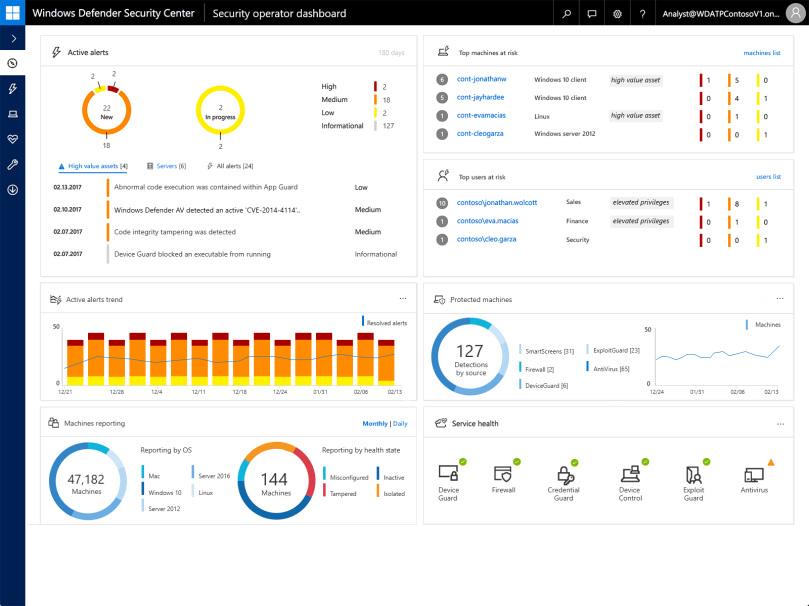
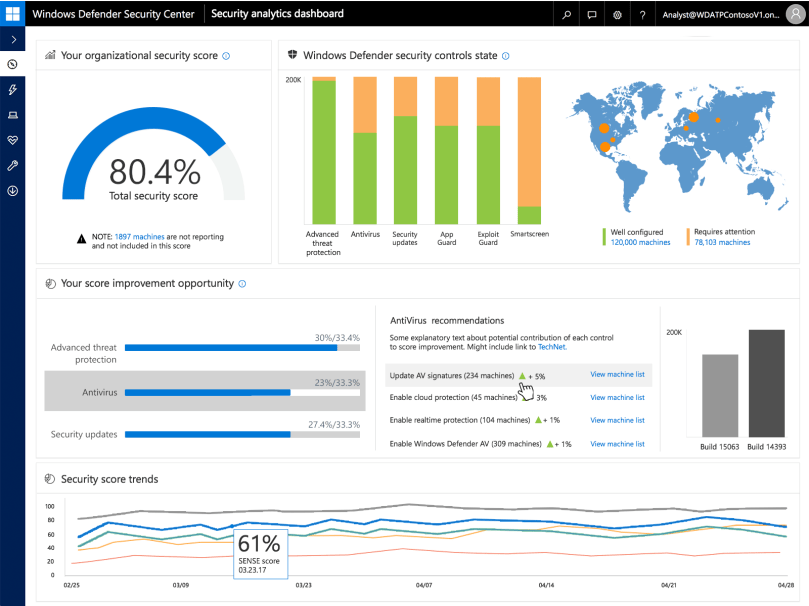
It integrates with cloud intelligence and the rest of your security, giving you a single pane of glass for administration.
Windows Defender ATP dashboard view
Now what is the ATP? It covers a range of features such as:
Windows Defender Exploit Guard
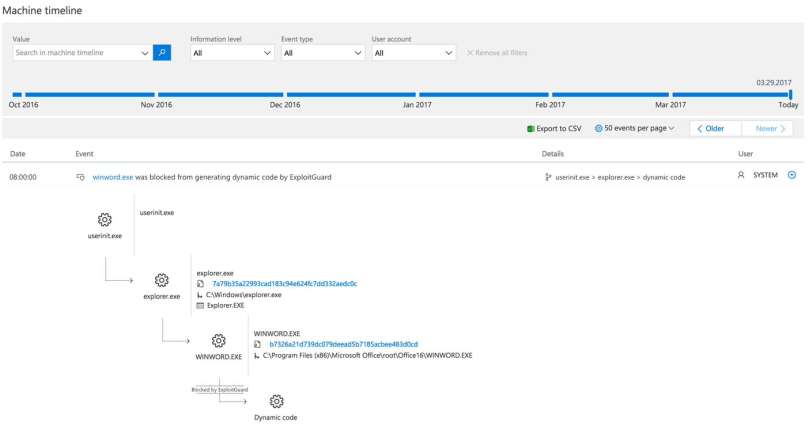
Windows Defender Explot Guard (WDEG) uses information from the Microsoft Intelligent Security Graph (ISG) and provides a heavy set of intrusion rules and policies to assist and prrevent advanced threats, as well as zero day exploits.
Machine timeline from Exploit Guard
Windows Defender Application Guard
A real winner here I believe, we’ll see how it turns out when it goes live for everyone, but I like the idea of Windows Defender Application Guard (WDAG) because even if the OS stack, network stack is secure, does not necessarily mean your third-party applications for example your browser is. Example and point: when Tim in accounting accidentally downloads malicious malware or Rambo in security triggers a zero-day worm whilst researching in the wrong container, WDAG will isolate and contain the threat. Keeping your device, apps and data secure. At least in theory.
Windows Defender Device Guard
Also integrated into ATP, Device Guard allows whitelisting of applications on a per-device basis and if anything it gives the Security Operations Center better insight, and automated application control as well as implementation of DDG into ATP gives organizations an easy implementation. Well improved detection, response capabilities and a growing detection dictionary that includes more indicators of attacks (IoA) with a large suite being gathered into one product in the Windows threat protection stack will allow you to remedy, as well as spot weaknesses far faster then before, and reduces the overhead required and the custom implementations required to make all the systems “talk“.
So what is my take from this? I thoroughly believe that the creator of a product (Microsoft) is most likely the best to create a security solution best suited for their product (Windows and surrounding services).
To sum it up ATP integrated with Windows 10, and Cloud Intelligence (Office 365, Microsoft Azure) will be a huge step in the right direction, and be a valuable asset to any Service Operations Center or IT operation team.
As always if you have any suggestions about topics, articles, how-to’s and what not hit me up here or on twitter at @UlvBjornsson
Microsoft releases an advisory that no new vulnerabilities are found in Shadow Brokers release
May 2017
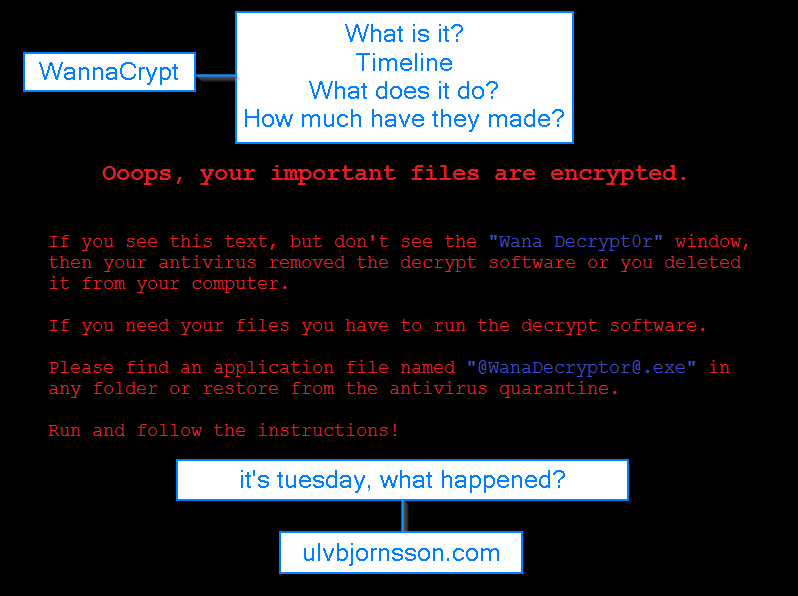
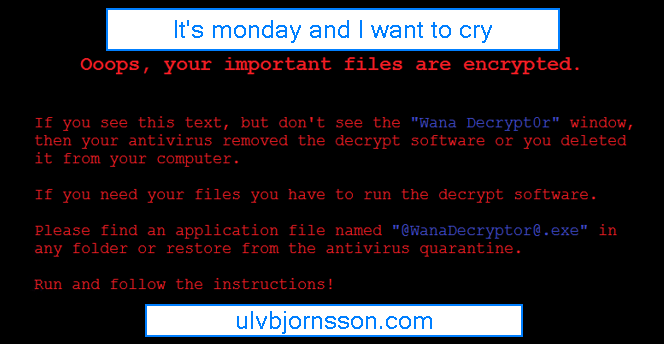
WannaCrypt is released by unknown attacker
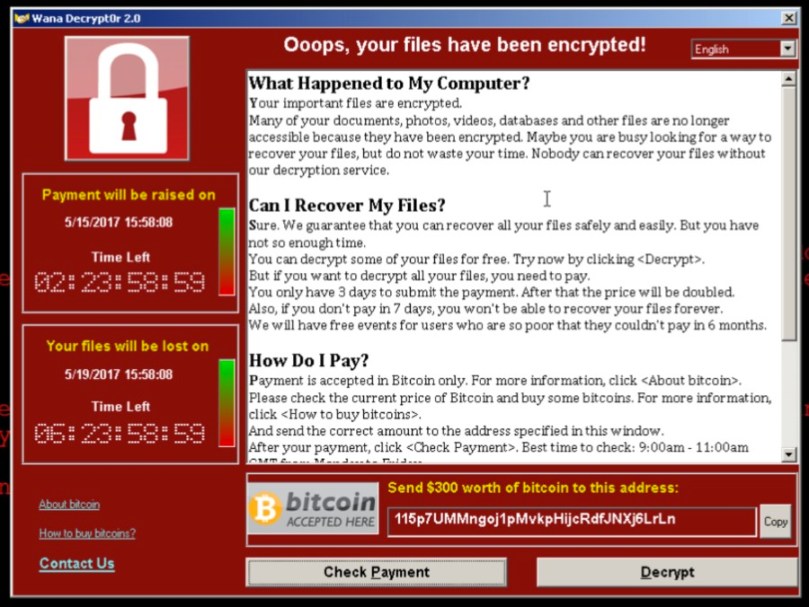
Which utilizes [ETERNALBLUE] with [DOUBLE PULSAR] and a ransomware payload that demands 300-600 USD in Bitcoins from its infected hosts.
What does WannaCrypt do?
Infects
It attacks through [ETERNALBLUE] if MS17-010 is not installed.
Installs the Trojan if the attack is successful [DOUBLEPULSAR]
Encrypts
Encrypts 179 file types
Shows a message that demands for payment of 300$-600$ in bitcoins to a listed wallet.
Spreads
It scans the local LAN and wider internet for port 445
Attempts to infect over SMBv1 [ETERNALBLUE] if port is open.
Payments
We find references to three different wallets these are:
Let’s try to reduce the attack vectors, I’ll walk you through the practical remedies and reduction of attack vectors you can do; now.
Turn off SMB 1
Why? Because WannaCry utilizes the exploit, and unless you are on XP or 2003, you have no use for SMB1, and will be using SMB2/SMB3.
To disable SMBv1 on the SMB server, run the following cmdlet:
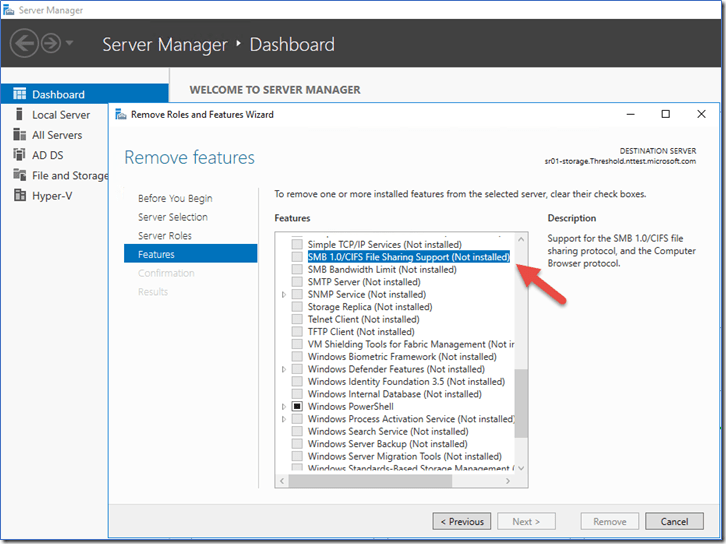
You can also remove it with “Server Manager” or use this snippet:
Remove-WindowsFeature FS-SMB1
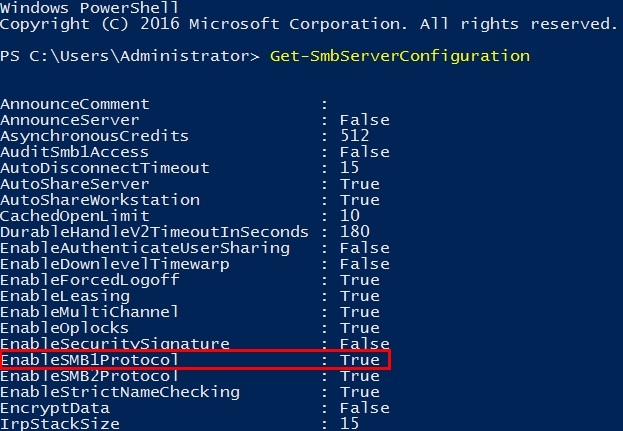
If you want to check whether or not SMB 1.0 is active on your server you can run:
Get-SmbServerConfiguration
As you can see it states that EnableSMB1Protocol is currently True we wantto set this to False.
We can accomplish this by running the following snippet:
Set-SmbServerConfiguration -EnableSMB1Protocol $false -Force’ cmdlet, as shown below.
(Force is added to prevent it from pausing for confirmation, and run through.)
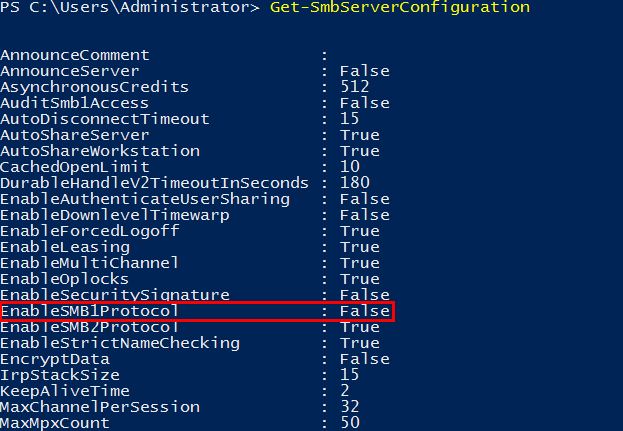
Let’s run this again to see if the configuration changed:
Get-SmbServerConfiguration
It is now set to false.
Patch your clients and servers.
WannaCrypt takes advantage of the MS17-010 vulnerability also known as the SMBv1 vulnerability, thankfully it has been patched with MS17-010. Depending on your patch regime, you should expedite and ensure that this patch goes through.
If your systems have been affected; DOUBLEPULSAR will have also been installed, so this will need to also be removed. A script is available (by COUNTERCEPT) that can remotely detect and remove the DOUBLEPULSAR backdoor.






 Well improved detection, response capabilities and a growing detection dictionary that includes more indicators of attacks (IoA) with a large suite being gathered into one product in the Windows threat protection stack will allow you to remedy, as well as spot weaknesses far faster then before, and reduces the overhead required and the custom implementations required to make all the systems “talk“.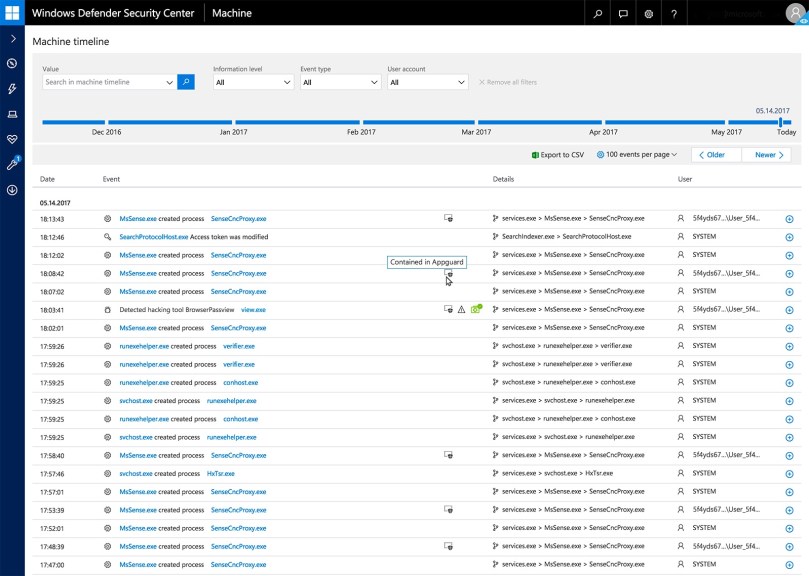

 musings of a consultant